Canny vs Featurebase: Which Feedback Tool Fits Your Team?
Compare Canny and Featurebase features, AI, integrations and pricing, with a calculator showing which one costs less for your team.
Canny and Featurebase both help SaaS teams collect customer feedback, organise feature requests, publish roadmaps and tell customers what has changed. The main difference is what sits around those features. Canny focuses on feedback, using AI to find requests in conversations your team already has. Featurebase combines feedback with a customer support inbox, live chat, a help centre and other support tools.
For a small B2B SaaS team, the right choice depends on how you work. If you already have a support system and want a dedicated place to collect and prioritise product requests, Canny is worth a close look. If you want feedback and customer support in the same product, Featurebase may cover more of your needs.
Price depends on a different question: how many customers you track in Canny, or how many teammates need seats in Featurebase. That can make one cheaper for a small team and the other cheaper as your customer audience grows.
About 600 people giving feedback
Features compared: Canny vs Featurebase
Collecting customer feedback
Both products give customers a public portal where they can browse requests, submit ideas, vote and comment. Each also offers a public roadmap. The main differences are how customers access the portal and how your team gathers feedback from conversations elsewhere.
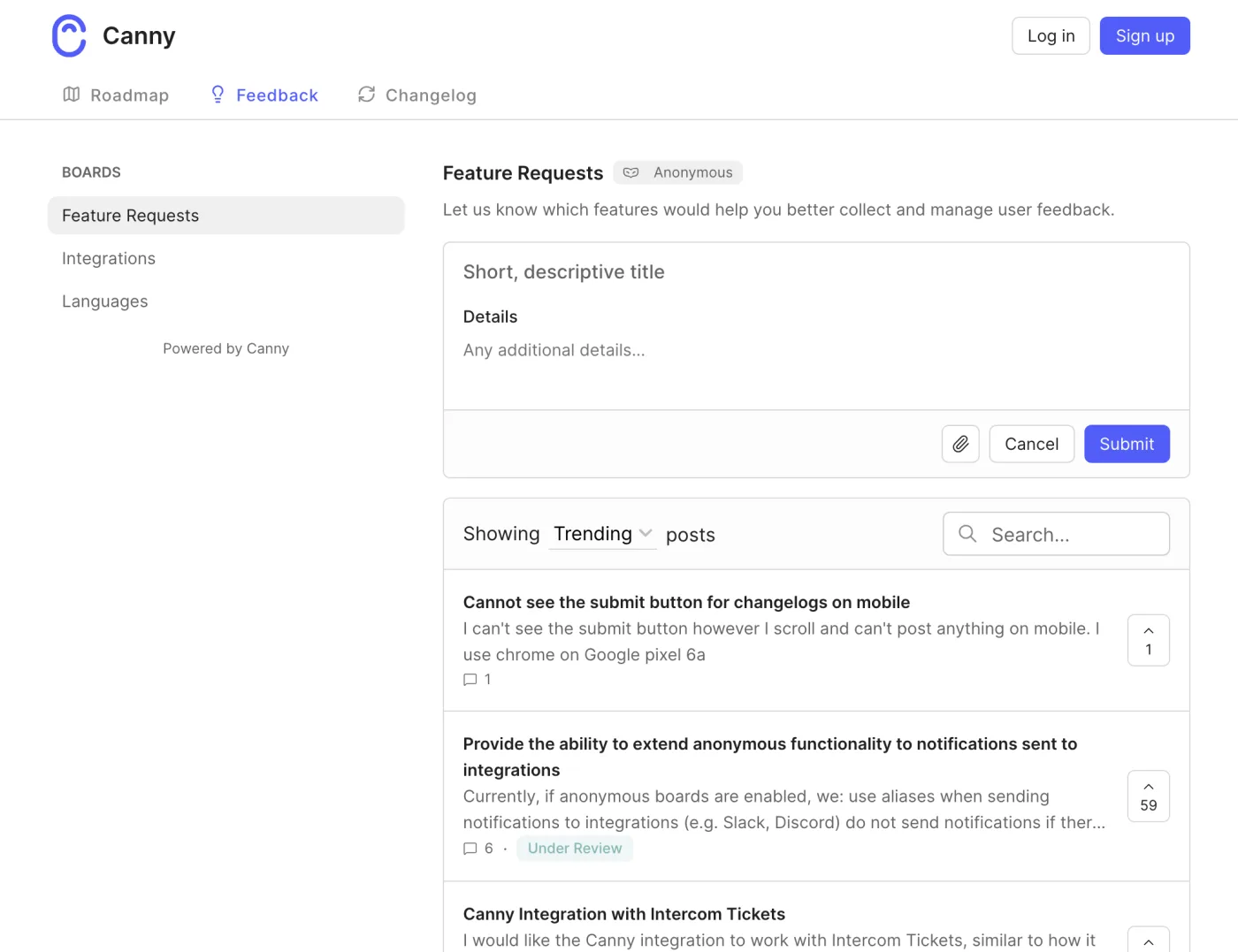
Canny requires customers to identify themselves. Before someone can post, vote or comment, they need a name and email address. Customers can sign in with Google, GitHub or email, or you can use Canny Identify or SSO to sign them in through your own product. Identify and SSO are available on every Canny plan.
That requirement gives feedback a clear identity, but it also adds a step for visitors who just want to leave a quick suggestion.
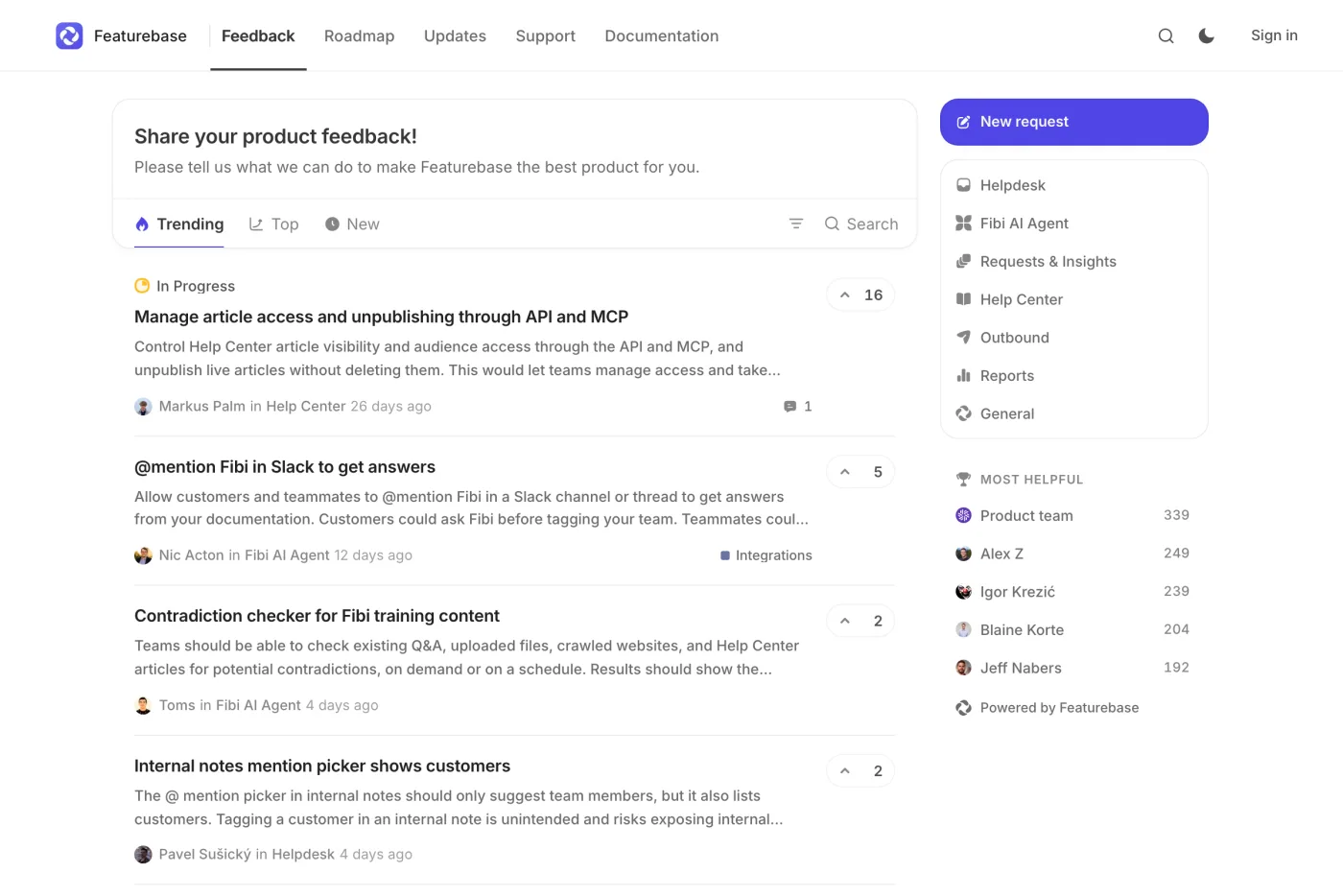
Featurebase can allow guests. You can separately switch on guest posting, guest voting and guest commenting, so people can take part without signing in. Guests do not receive email updates. If you want customers to use their existing account in your product, Featurebase Identify is available from Growth upwards. Full SSO that replaces Featurebase's own login is available on Professional and above.
Featurebase's feedback widget is another difference. Available from Growth upwards, it lets customers attach a screenshot and see similar requests and help articles while typing. Canny's widget, available on every plan including Free, embeds a single feedback board in your web or mobile app.
Canny also has more ways to capture feedback outside the portal. Its Autopilot reads closed conversations from Intercom, Zendesk, Help Scout, Freshdesk and Slack, as well as recordings from tools including Gong and Zoom. It can pull out feature requests and file them without a usage cap, and the feature is available on every plan. Canny's support-tool apps also let agents log feedback for a customer. A Chrome extension lets admins capture feedback from any web page.
Featurebase can suggest matching requests from conversations in its own support inbox. It also supports call-recording connections including Gong, Fathom and Grain, currently in beta. Its AI processing has a monthly allowance and pauses when that allowance is reached. Its Intercom, Zendesk, Slack and Discord apps are available from Growth upwards.
There is a useful distinction here. Canny is designed to find product feedback across conversations you already have. Featurebase can collect feedback through its support product as well as through connected tools.
Featurebase also lets you ask voters how important, frequent and urgent a request is. Those answers feed into an impact score out of 10. Canny does not ask customers those questions after a vote; on Pro and above, an admin can set a vote's priority manually.
Organising and prioritising requests
Both products help you deal with repeat requests and decide what deserves attention. Their AI features, fields and prioritisation tools differ, though, and some features are limited to paid plans.
Canny's Autopilot detects duplicates and can merge them or suggest merges on every plan. Featurebase offers AI duplicate suggestions from Growth and AI feedback deduplication from Professional. Canny also has AI replies asking for more detail and comment summaries on Pro and above, and says it does not train models on customer data. Featurebase's AI tagging is Enterprise-only; AI request translation starts at Professional.
For statuses, Canny includes six default options on every plan; custom statuses require Pro or above. Featurebase includes custom statuses from Growth upwards. Custom fields are available on Canny Pro and above and Featurebase Professional and above.
Both can use customer value to help prioritise work. Canny accepts revenue through Identify or its API; revenue from HubSpot or Salesforce and open deal values require Business. Featurebase shows a revenue total from synced customer spend on Growth, while linking CRM deals to requests requires Enterprise. Canny has weighted impact-over-effort scoring on Pro and above. Featurebase offers value-and-effort scoring with a priority matrix, although its pricing table lists the Prioritization module on Enterprise. Customer segments start at Pro for Canny and Growth for Featurebase.
Moderation is another practical difference. Featurebase has a queue for approving new requests and comments before they become public, available on Professional and above. Canny does not have a general moderation queue, although Autopilot hides likely spam until an admin approves it. Canny includes private boards on every plan; Featurebase offers them on Professional and above.
For a small team, the important question is not which product has the longer feature list. It is which decisions you need help making. Canny's duplicate detection is available even on Free, while some of Featurebase's more advanced organisation and moderation tools sit on higher plans.
Roadmaps
A public roadmap lets customers see what is planned, in progress or completed without asking your team for an update. Both products include roadmaps, but the amount of control differs.
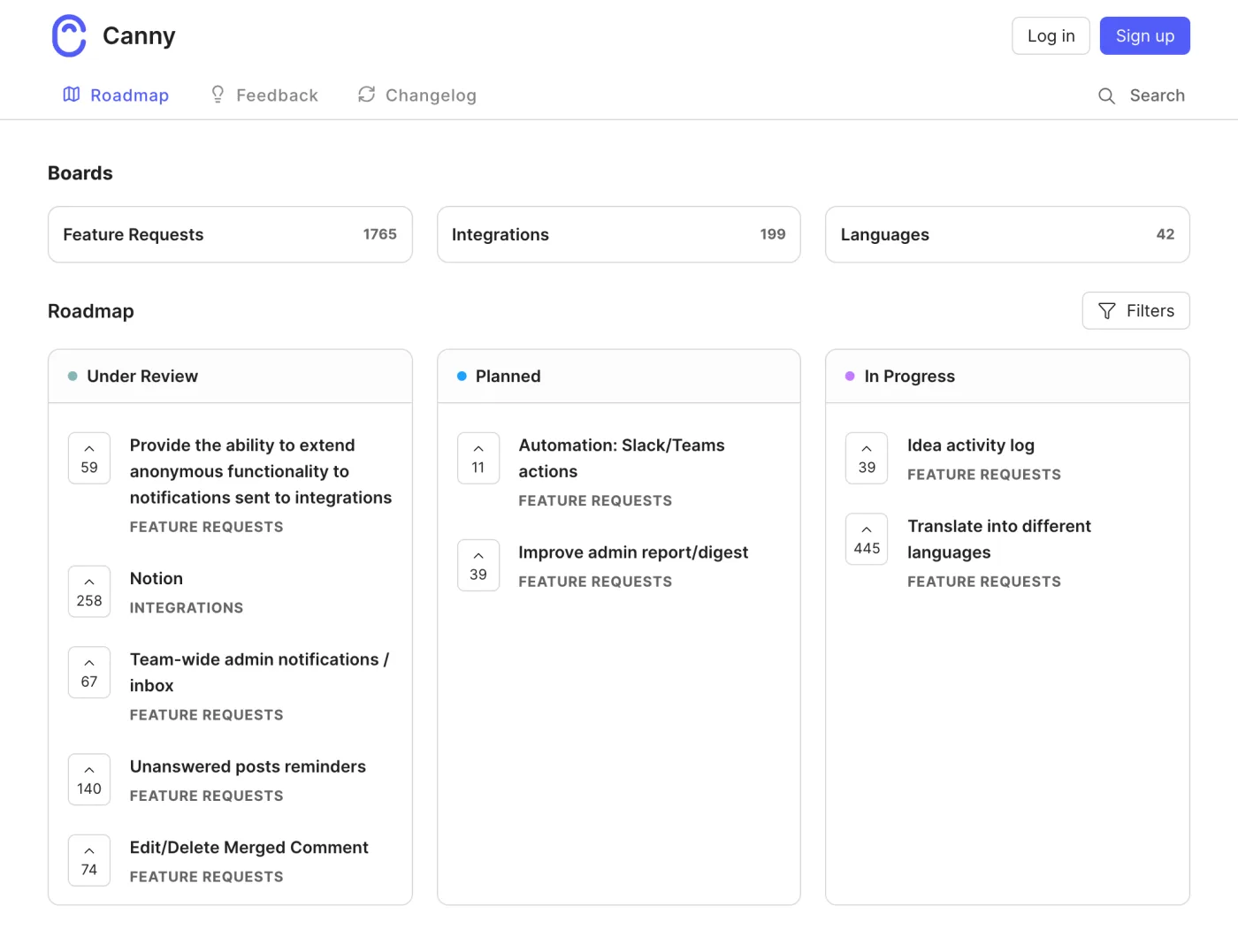
Canny provides one public roadmap on the portal home page, arranged in three status columns. You need Pro to choose the columns. Visitors see only requests from boards they have permission to access.
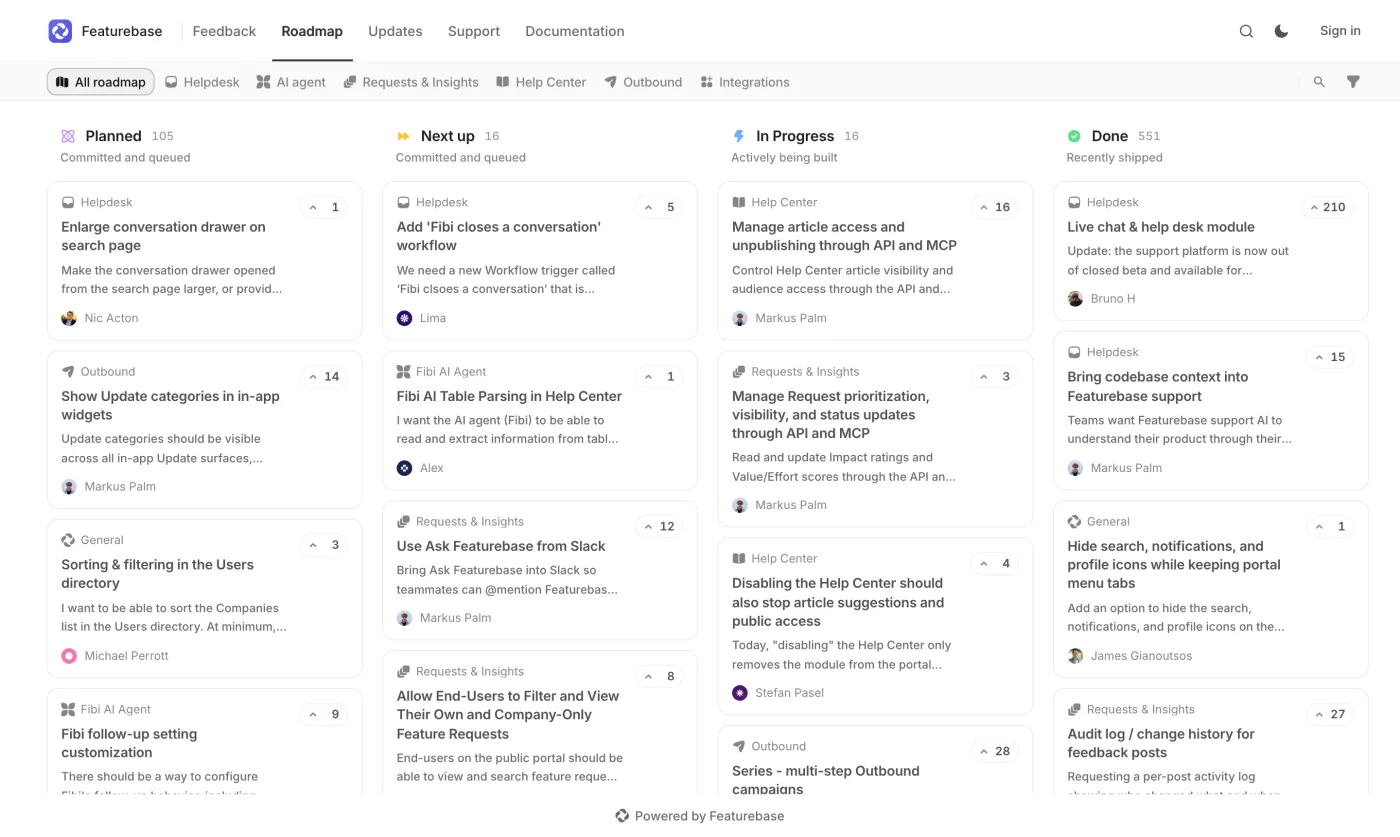
Featurebase treats roadmaps as views of requests. You can use custom columns or lay them out by month, quarter or half year. The number of roadmaps depends on the plan: one on Free, five on Growth, ten on Professional and unlimited on Enterprise. You can also set each roadmap to be visible to everyone, your team, or selected customer segments.
For one public roadmap, Canny may be enough. Featurebase offers more options if you need different roadmaps for audiences or planning periods.
Changelogs and telling customers what changed
A roadmap explains what may happen next. A changelog tells customers what has shipped. Both products offer a public changelog, but the plan you need depends on how you want to distribute updates.
Canny includes a public changelog on every plan, including Free. It also has an in-app changelog popover with an unread badge on every plan. Sending changelog emails to subscribers requires Pro or above.
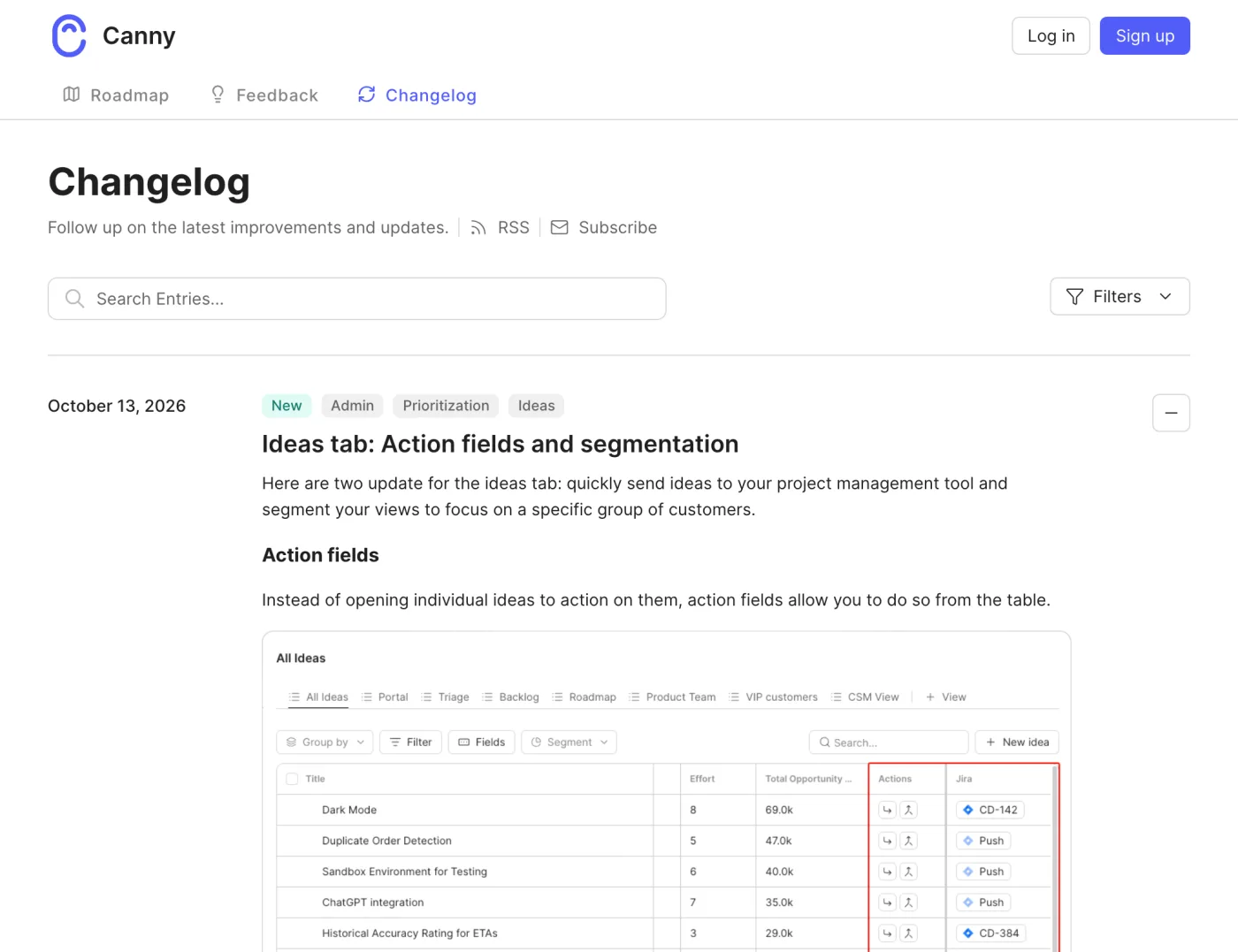
Featurebase's public changelog page, in-app widgets and email updates are available from Growth upwards. Its widgets include cards, popups and dropdowns. Its Outbound module also supports banners, chats and product tours.
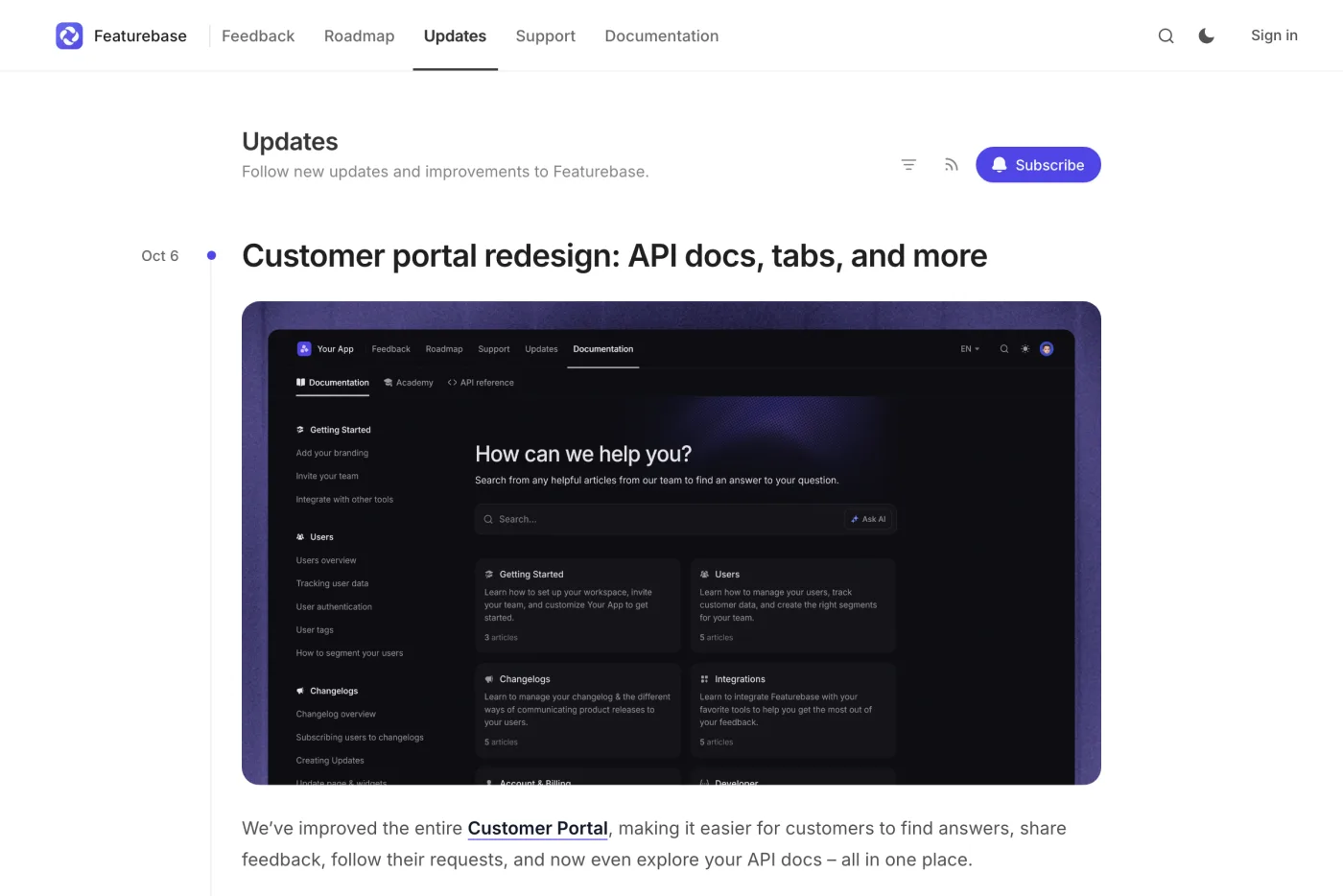
For changelog emails, Featurebase includes 5,000 a month on paid plans, with additional email use charged separately. Canny includes changelog emails in Pro and above. Both products email voters automatically when a request's status changes, including on their free plans.
Canny is useful if you want a changelog and in-app popover on Free. Featurebase offers more in-app communication options, but its changelog features start at Growth.
Integrations and APIs
Integrations matter when your product team needs to turn requests into work without copying information between tools.
Canny supports Jira, Linear, ClickUp, Asana and GitHub with two-way status syncing on Pro and above. Featurebase supports Jira, Linear, ClickUp and GitHub with two-way status syncing from Growth upwards; Azure DevOps is available on Enterprise.
Both connect with HubSpot and Salesforce, but the available features differ by plan. Canny's CRM integrations are Business-only. Featurebase makes the CRM integrations available from Professional, while linking deals or opportunities to feedback requests requires Enterprise.
Canny has a notable free-plan advantage for integrations. Its Free plan includes Intercom, Zendesk and Slack, the Chrome extension, notifications to Slack, Teams and Discord, and API access. Featurebase's Free plan has no integrations. Its API is available from Growth upwards.
That can make Canny a more practical starting point if you want to connect a feedback board to tools you already use without paying straight away. Featurebase's integrations become available on paid plans, alongside its wider support suite.
Customer support: Featurebase does more than feedback
This is the biggest difference between the products. Canny is a feedback tool. It can read conversations from support systems and help turn them into feature requests, but it does not replace the support system itself. It has no support inbox, live chat, help centre or survey product.
Featurebase includes live chat, a shared inbox and a help centre on every plan. The Free plan supports up to 50 help-centre articles. From Growth upwards, it adds an email support channel, AI-drafted replies, the Fibi AI agent over chat, and NPS and CSAT surveys. Professional and above adds Fibi over email and Slack, workflows, SLAs, round-robin assignment and Slack as a support channel.
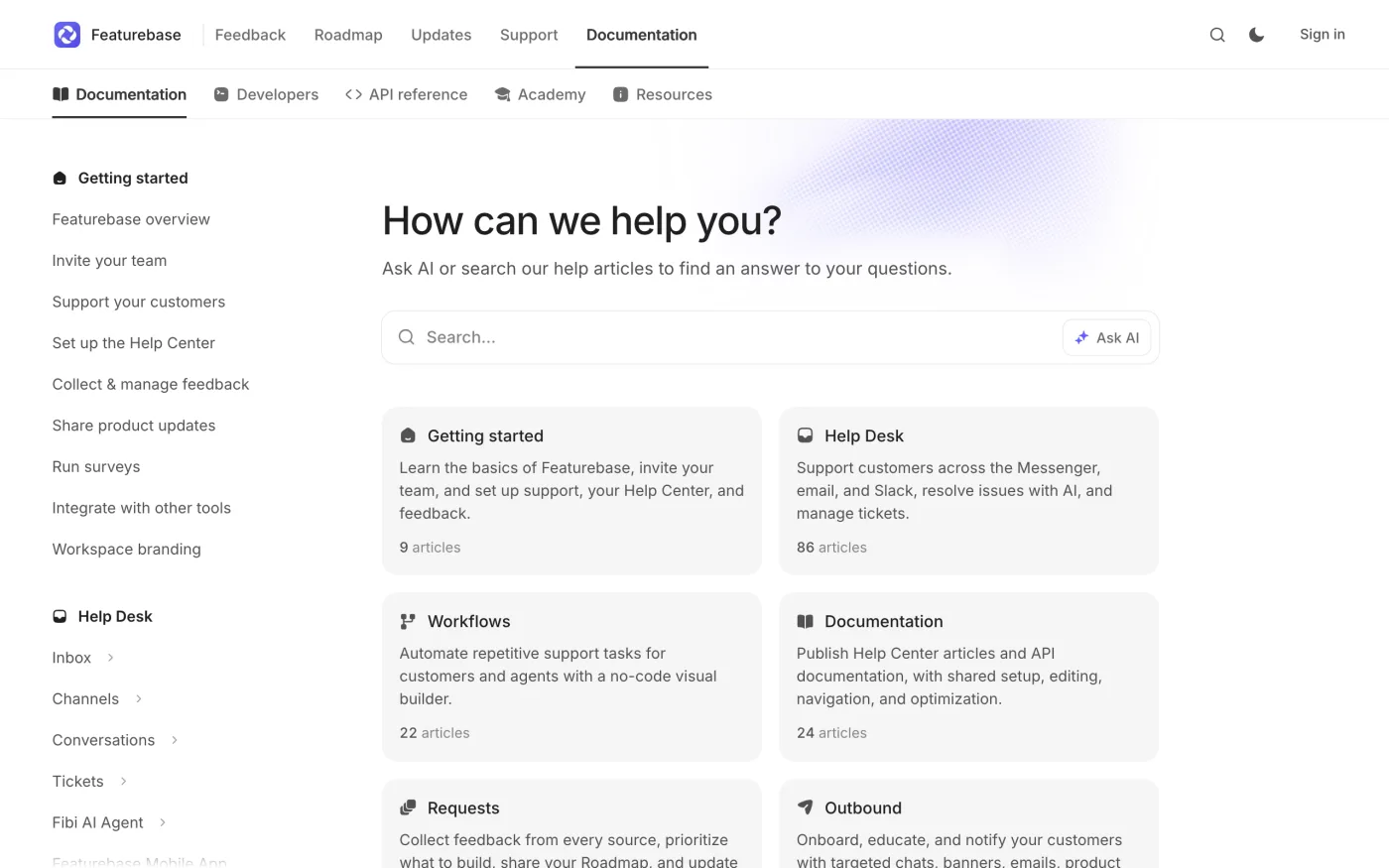
If your team already uses a separate support platform and mainly needs to manage product feedback, Canny's narrower focus may be enough. If you're looking to bring support and feedback together, Featurebase can cover more work in one product.
There is one cost to understand if you use Featurebase's AI agent. Fibi costs $0.49 per support conversation it resolves. You pay nothing for resolutions if you do not use the agent. A team using Featurebase only for feedback does not incur this fee.
Branding, languages, security and data location
The right plan may also depend on how your portal needs to look, which languages your customers use, and where data is stored.
Custom domains require Canny Pro or above and Featurebase Growth or above. Removing branding is a Business add-on for Canny; Featurebase charges $69 per month for it on Professional and Enterprise.
Canny translates posts, comments and changelogs into 14 languages on Pro and above, though its interface is English only. Featurebase offers translation into 40+ languages on Professional and above. Admin SSO requires Canny Business or Featurebase Enterprise (minimum five seats).
Canny stores data in the United States. Featurebase lists the Netherlands and Germany, with Ireland also named in its security FAQ. Both list SOC 2 and GDPR; Featurebase specifies SOC 2 Type II. Check these requirements against your needs, and distinguish customer-facing SSO from admin SSO: their plan limits differ.
Canny vs Featurebase pricing
The pricing models differ: Canny Pro charges by tracked users, while Featurebase charges per teammate seat. A Canny tracked user has a post, vote or comment attributed to them, including feedback captured by an admin or AI; customers who never give feedback do not count. Featurebase seats are for dashboard users. Customers and teammates working only through an integration do not need seats.
| Canny | Featurebase | |
|---|---|---|
| Free | $0: 25 tracked users, five managers | $0: one seat |
| Paid plans, billed yearly | Pro from $79 a month at 100 tracked users, rising in steps to $1,079 at 5,000 | Growth $29, Professional $59, Enterprise $99, per seat per month |
| Billed monthly | Pro from $99 at 100 tracked users to $1,349 at 5,000 | Growth $37, Professional $75, Enterprise $129 per seat |
| Team limits | 10 managers on Pro, unlimited free contributors | 20 free Lite seats on Professional, 50 on Enterprise. Lite seats can post, vote and comment but cannot change statuses or reply to customers |
| Above that | Business, custom pricing, above 5,000 tracked users or 10 managers | Unlimited end users on every plan |
| Extras | Removing branding is a Business add-on | Removing branding is $69 per month; Fibi costs $0.49 per resolved support conversation |
Without a spend limit, Canny moves an account to the next pricing step when it passes its limit; with one, it stops tracking new users. Canny also offers a 14-day Pro or Business trial without a card. Featurebase advertises an 86% startup discount for companies under two years old with fewer than six employees.
If you use Featurebase only for feedback and do not use the Fibi agent, there is no AI resolution fee.
Where the bills cross
The calculator above compares your own audience and team size. The broad pattern is straightforward: Canny's bill rises with tracked customers, while Featurebase's subscription rises with the number of seats you need.
From 600 tracked users, Featurebase Growth is cheaper than Canny Pro for every team of up to 10 people in the dashboard. Teammates who only read change the sum: Canny and Featurebase Professional, with its 20 free Lite seats, don't charge for them, but Growth needs a paid seat for each. With a small audience and several teammates, Canny can cost less. For example, three Featurebase Growth seats cost $87 per month, compared with $79 for Canny Pro at 100 tracked users.
These comparisons use yearly billing for both products. Monthly billing costs more on the listed paid plans, so compare like with like when budgeting.
What about the free plans?
Canny Free includes 25 tracked users, five managers, a public feedback board and roadmap, an in-app board widget, a public changelog and in-app changelog popover. It also includes AI capture and duplicate detection, API access and several integrations, including Intercom, Zendesk and Slack. Its limits are mainly around the number of tracked users and some advanced management features.
Featurebase Free includes one seat, one feedback board and one roadmap, plus live chat, a shared inbox and a help centre with up to 50 articles. End users, posts and support conversations are unlimited. However, the Free plan has no integrations, no Lite seats, and does not include the feedback widget or the paid-plan changelog features.
Choose based on the job: Canny's Free plan suits teams testing a dedicated feedback tool, while Featurebase Free combines a feedback portal with customer support.
Choose Canny if…
- You already have a support system and want a dedicated tool for product feedback.
- You want AI to find requests in existing conversations, with no usage cap for Canny's capture and deduplication features.
- You need customers to be identified before they post or vote.
- You want API access, a changelog and an in-app board widget on the free plan.
- Your audience is relatively small compared with the number of teammates who need to manage feedback.
Canny's bill can rise as more customers leave feedback, and Pro is limited to 10 managers. CRM integrations, admin SSO and branding removal require Business or an add-on.
Choose Featurebase if…
- You want feedback and customer support in one product, including a shared inbox, live chat and help centre.
- You want to let customers post, vote or comment as guests.
- You need several roadmaps, or want to show different roadmaps to different customer segments.
- You want in-app messaging tools beyond a changelog, such as banners, chats and product tours.
- Your feedback audience is large relative to the number of teammates who need seats.
Featurebase's per-seat model can suit a large audience, but check plan limits: integrations start at Growth, while moderation, translations and CRM links depend on the plan. If you use Fibi, budget for each resolved support conversation.
Moving between Canny and Featurebase
Featurebase says it can migrate feedback, changelogs and users from Canny through Canny's API. Its help-centre migration guide describes a CSV import that brings over titles, descriptions, statuses and vote totals, but not individual voters or comments. Confirm the migration route and what will be retained before you commit to switching.
Canny does not offer a direct Featurebase importer. You can import posts by CSV, including titles, details, statuses, tags and categories, but that route does not bring votes across. Canny's API import can include authors, votes and comments. If preserving the history of requests matters, check the available fields and test the migration before making the change.
Where nolby fits
If neither product is quite right, nolby is a simpler customer feedback and roadmap option. Its Free plan includes one board, one seat and unlimited voters. Pro costs $39 per month and includes unlimited seats, boards and voters, plus a custom domain. Other feedback tools are compared here. Compare the features you actually need and the way each tool charges before deciding.
Questions
Which is cheaper, Canny or Featurebase?
It depends on your tracked-user count and team size. Canny charges according to the number of people who post, vote or comment, while Featurebase charges per teammate seat. Canny can cost less with a small audience and several teammates. From 600 tracked users, Featurebase Growth is cheaper than Canny Pro for teams of up to 10 in the dashboard.
What is the main difference between Canny and Featurebase?
Canny is a focused feedback tool that uses AI to find feature requests in conversations your team already has. Featurebase combines feedback with customer support features, including a shared inbox, live chat and a help centre. If you already have a support platform, Canny may be enough; if you want support and feedback together, consider Featurebase.
Does Featurebase charge for AI?
Featurebase charges $0.49 for each support conversation resolved by its Fibi AI agent. The fee applies to resolutions, not to having an account. If you use Featurebase only for feedback and do not use Fibi to resolve support conversations, you do not pay this resolution fee. Its AI feedback processing also has a monthly allowance that pauses at the limit.
Can customers leave feedback without an account?
Featurebase can allow guest posting, voting and commenting, depending on which settings you enable. Guests do not receive email updates. Canny requires every person to provide a name and email address before posting, voting or commenting. If removing the sign-in step is important for your customers, Featurebase offers more flexibility.
Which has better integrations with Jira and Linear?
Both offer Jira and Linear integrations with two-way status syncing. Canny includes these integrations on Pro and above, while Featurebase includes them from Growth upwards. Canny also includes several integrations and API access on its Free plan. Featurebase's Free plan has no integrations, and its API is available from Growth upwards.